
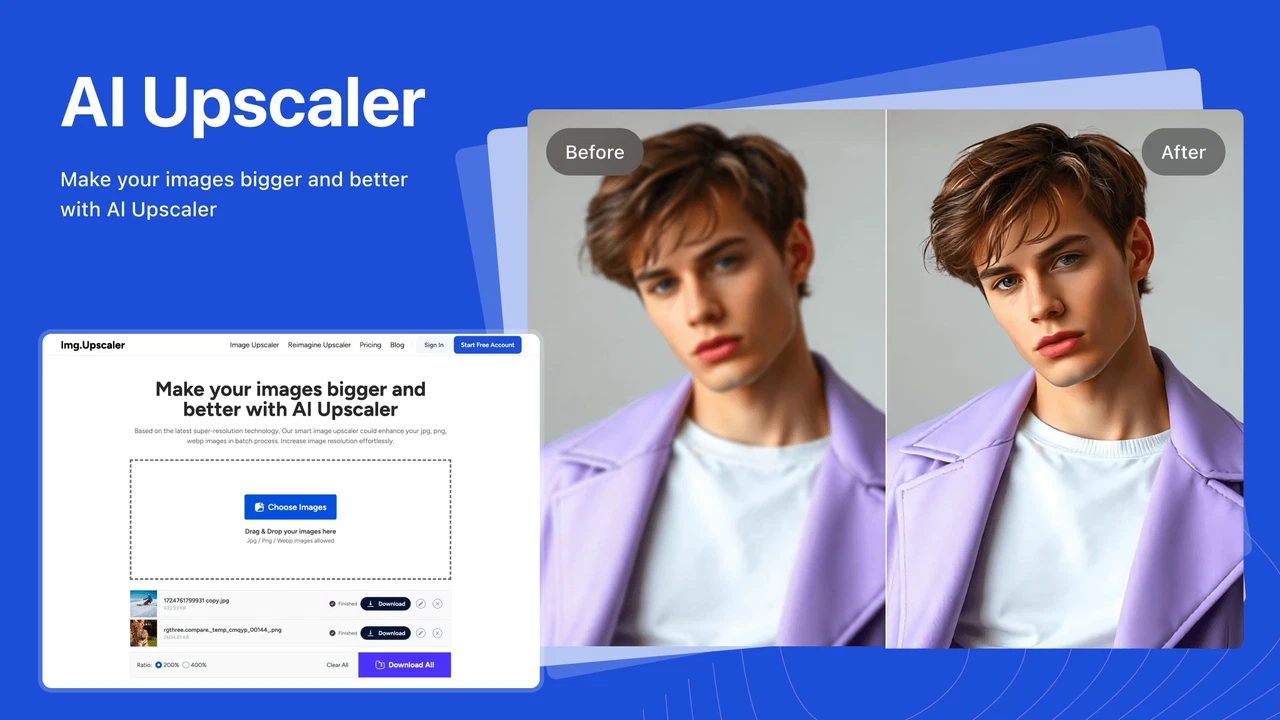
Low-res images happen—maybe it’s an old logo, a pixelated product shot, or a photo you wish had just a bit more clarity. ImgUpscaler is a one-click AI tool that sharpens and enlarges images without the usual blur or artifacts you’d get from standard upscaling.
If you’ve ever zoomed in and regretted it, this might be the fix.
What ImgUpscaler Does Well
- Upscales Without Destroying Detail It uses AI to intelligently fill in gaps, so images come out sharper—not just bigger. Works especially well for digital art, product photos, anime, and even faces.
- Fast and Simple Interface Drag, drop, done. No account needed to try it, and results are delivered in seconds. You can preview before you download.
- Batch Upscaling (on Paid Plans) Need to upscale a bunch of images at once? The bulk mode handles that cleanly, saving a lot of time for photographers or marketers working with libraries.
- Web-Based, No Install Required Great for quick jobs where you don’t want to fire up Photoshop or install anything heavy.

Things to Consider
- Results Can Be Mixed on Complex Photos Like most AI upscalers, ImgUpscaler does best with clean lines. Busy backgrounds or blurry originals may still look artificial when enlarged.
- Free Plan Is Limited You can test a few images, but batch processing and high-res downloads are locked behind paid plans.
- Not a Full Photo Editor This isn’t a one-stop shop for retouching—just a focused tool for resolution and clarity.
Who It’s Great For
- Ecommerce sellers who need clean product images
- Social media managers reworking old assets
- Designers restoring legacy images
- Anyone trying to salvage a low-res file
If This Tool Were a Food 🧇🍟
Img.Upscaler would be a loaded waffle fry.
It takes something basic (your blurry image) and crisps it up with style—no extra prep, no Photoshop finesse. Not a full-course meal, but when you want fast, tasty results that look fancy, it hits the spot.
Final Thoughts
ImgUpscaler is a practical tool for a common problem. It won’t make every photo gallery-worthy, but if you need sharper images fast—and don’t want to wrestle with complex software—it’s an easy win.
Try ImgUpscaler
No sponsorship here. This post may contain affiliate links, which help support the blog if you decide to try the tool. Thanks for keeping this project going!


